Posted: Wed Jan 06, 2010 12:56 am Post subject:
Modeling a skyscraper
So I started this earlier and I am a bit stuck. I want to use a single texture to all of the segments (windows) using standard > multi/sub object material.
I honestly don't know how to do it without everything messing up. Any advise or steps to take would be very helpful.
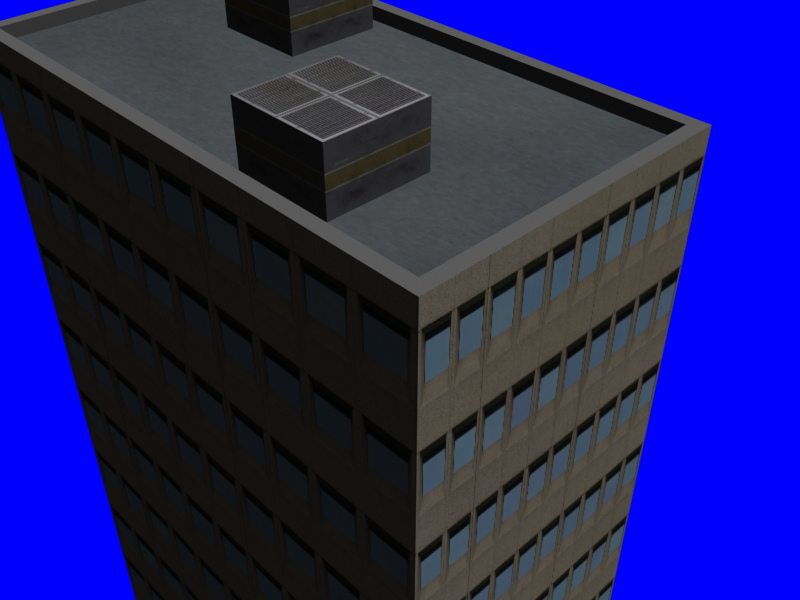
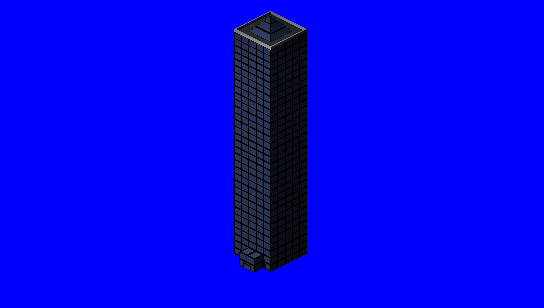
you can also convert the building to polyedit and use the polygon tool to add other textures as i did here to make doors at bottom and a non glas roof. I didnt use anything special here so...
Image1333.png
Description:
Filesize:
248.95 KB
Viewed:
2114 Time(s)
_________________
The enemy shall be injected with toxic poison - Venom QUICK_EDIT
1. why do you want to use a multi/sub object material? This is afaik normaly used if a) the available materials aren't enough and b) if you want to combine several textures to one
2. for giving each tile on the box the same texture, do the following
-take a default clear material.
-add the window texture to the diffuse map
-assign the material to the whole box
-with the selected box, open the modifier list dropdown menu on the right
-select UVW map
-choose "Face" as the UVW Map Mapping technique. This way each polygon gets the same texture, regardless how big the polygons are. The texture is stretched to fit on each of them
-Since you surely don't want the roof to be textured with windows too, simply select all the polygons on the roof (in polygon editing mode) and assign to them a different material that uses a different texture in its diffuse map.
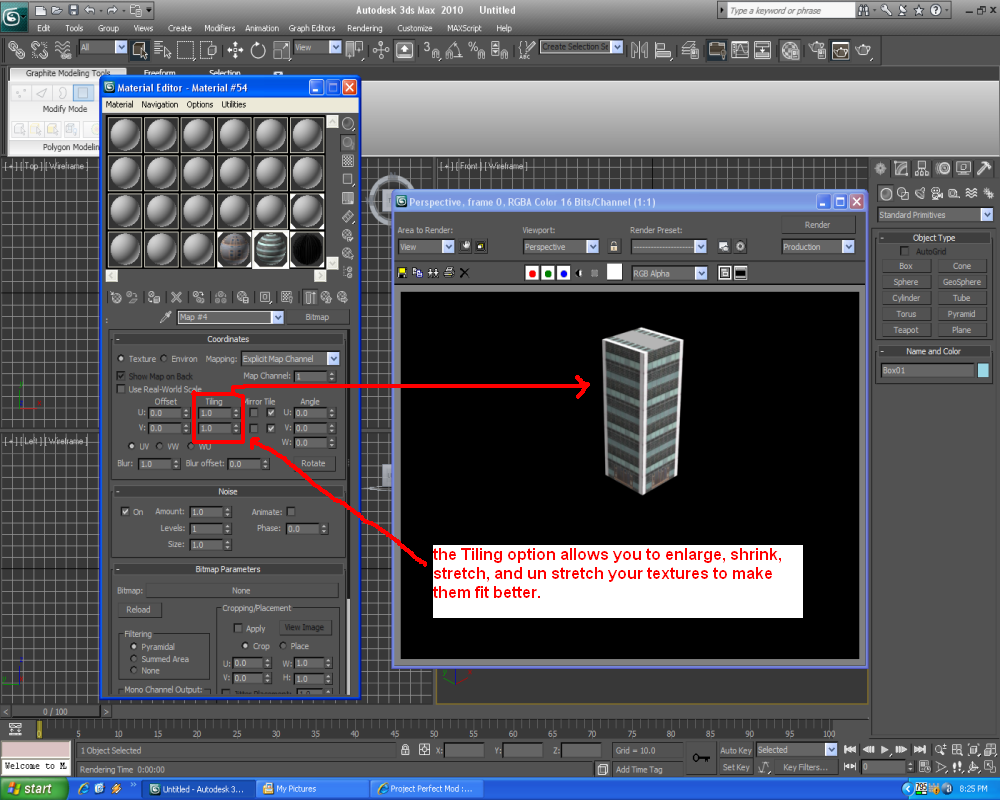
@Cranium: using tiling on the map is a very inaccurate way to assign a texture to an object. especially in this case where each window texture should fit perfect in the small rectangular polygons. _________________ SHP Artist of Twisted Insurrection: Nod buildings
I thought maybe thats what he was talking about when he said, adding texture without messing it all up. as in the texture was to big and stretched out. But it is useful when using full building textures (walls,windows,and doors all in one texture) _________________
The enemy shall be injected with toxic poison - Venom QUICK_EDIT
@ Cranium, I will use several textures. your method is interesting though.
MT wrote:
I'm pretty sure he wants the textures to be linked to the individual faces themselves, not the side as a whole.
This ^
@ LKO, thanks, that's pretty much what I was looking for. I chose multi/sub because the only full tuts for a skyscraper that I could find used that method. QUICK_EDIT
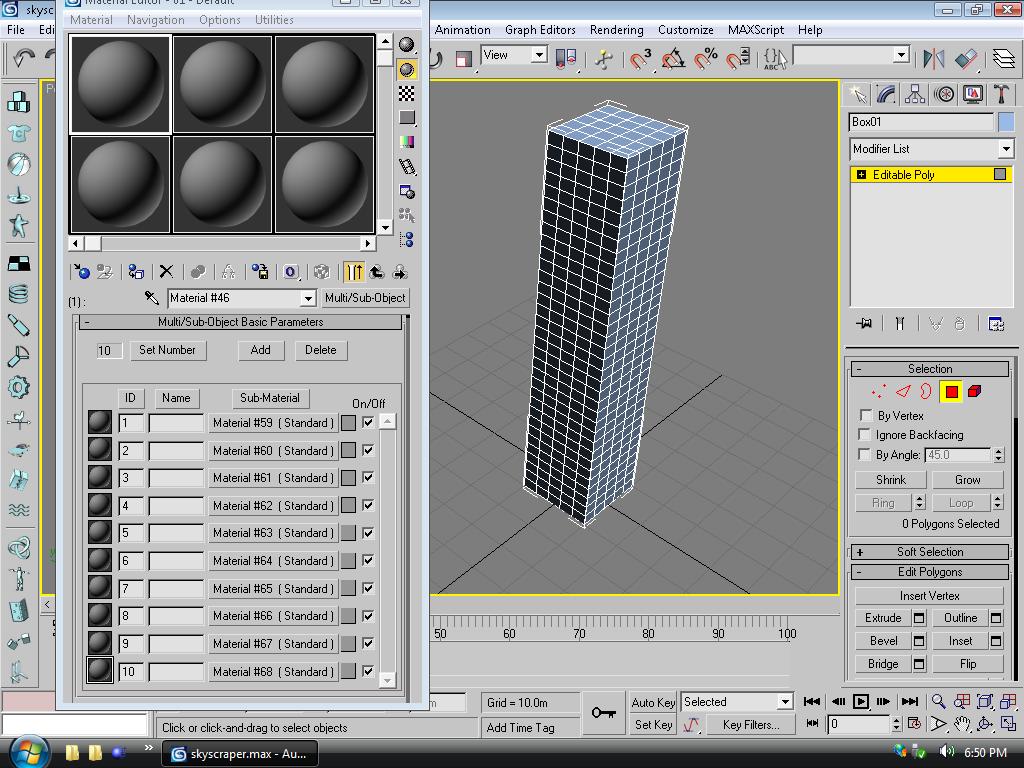
This is for the easier case without using a Multi/Sub-Object (MSO) Material. But since you still want to use it here a short MSO tutorial.
-in the first picture you have the MSO shown.
-click on Material #59 (the now shown menu, is the one you would get with a default material. Thus it's one step easier as the MSO)
-scroll down to the part called "Maps" where you see a list of Diffuse Color, Specular Color, Specular Level, Glossiness etc
-click on "None" behind the "Diffuse Color" Map
-choose in the shown list "Bitmap" right on top of the list and select the window texture on your HDD and press "Open"
-the settings of this map can stay as they are, so just click on top, left to the big "Bitmap" button on the dropdown menu and select the top most material (normaly "01 - Default") which should bring you back to the MSO
-make sure you have the box selected and then press the 3rd button from the left "Assign Material to Selection"
-the window texture should now be shown on the box but only on one side (by default on top; the sides and bottom should be untextured, but that's ok)
-right click on the box and choose "Convert To:" and select "Editable Poly"
-go in polygon editing mode and select all polygons
-scroll down in the right menu until "Polygon Properties" and set the ID for all polygons to 1 ("Set ID: 1"). This way all polygons should now show the windows. When you have different maps in your MSO, use this ID to assign the different maps to the different polygons. For example in the MSO you can use the second Map with ID 2 for the roof texture and on the box you only select the polygons on top and give them ID 2.
-now select the dropdown "Modifier List" and choose "UVW Map"
-there select "Face" as the mapping technique and voila, your window texture is assigned to each of the small polygons. _________________ SHP Artist of Twisted Insurrection: Nod buildings
Very nice work tony, looks good. You know you can give your windows that bevel edge look by using polygon-extrude to give it the more real look. Though your building looks nice you should try it.
As for the camera and lighting, just use the 3dsMax RA2 Script. _________________
The enemy shall be injected with toxic poison - Venom QUICK_EDIT
Better use a simple bumpmap instead of extruding all the polygons (especially since the windows aren't filling the whole polygon, but are a bit smaller than the polygon). It's faster and should be also easier to do, as you use already self-made window textures.
Another thing you could try is a Noise texture over the current Window texture. Since Noise maps are 3D-Maps, this won't be affected by the "Face" mapping technique too and you get this way a nice subtle, random texture over the whole building.
This way you can also add damage and dirt on the building. _________________ SHP Artist of Twisted Insurrection: Nod buildings
You cannot post new topics in this forum You cannot reply to topics in this forum You cannot edit your posts in this forum You cannot delete your posts in this forum You cannot vote in polls in this forum You cannot attach files in this forum You can download files in this forum


 Modeling a skyscraper







 your method is interesting though.