Also Known As: banshee_revora (Steam) Joined: 15 Aug 2002 Location: Brazil
Posted: Mon Jul 09, 2007 12:26 am Post subject:
Voxel Tip of the Day: Playing with edge colours!
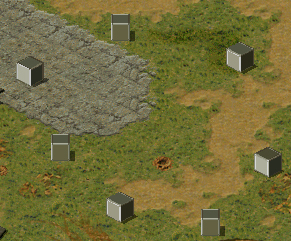
Subject description: Phear the invasion of the cubes!
Hey everyone! Sorry for the lack of news recently. It's not like you'll find many news on other C&C sites as well and my term in the university is almost over. I'm still stuck with some work to do. Anyway, I'd like to tip you with an interesting tutorial, for those who doesn't like 3d modelling programs and prefer to use Voxel Section Editor III (and other voxel editors) to create and edit your voxels. I'm aware that there is a considerable group of people on that category.
So, check out the Voxel Improvements tutorial, wrote by Gamemate, mod leader of Future Crisis, one of the most promising YR mods at the moment. His tutorial teachs you how to make proper edges, making your voxel look less cartoony in game. You know? Auto normals helps, but doesn't do miracle. It's rare to find tutorials made for voxel editor users, so this one will certainly be useful. Here's a picture of what kind of cube you can get if you follow it:
You cannot post new topics in this forum You can reply to topics in this forum You cannot edit your posts in this forum You cannot delete your posts in this forum You cannot vote in polls in this forum You cannot attach files in this forum You can download files in this forum


 Voxel Tip of the Day: Playing with edge colours!